
- 0
- 1,249 word
In an era where the "attention economy" dominates the mobile landscape, smartphone manufacturers are increasingly tasked with providing tools that help users reclaim their focus. While Google’s Digital Wellbeing and Apple’s Screen Time have become industry standards, Samsung appears to be taking a significantly more aggressive—and technical—approach with its upcoming software iteration.
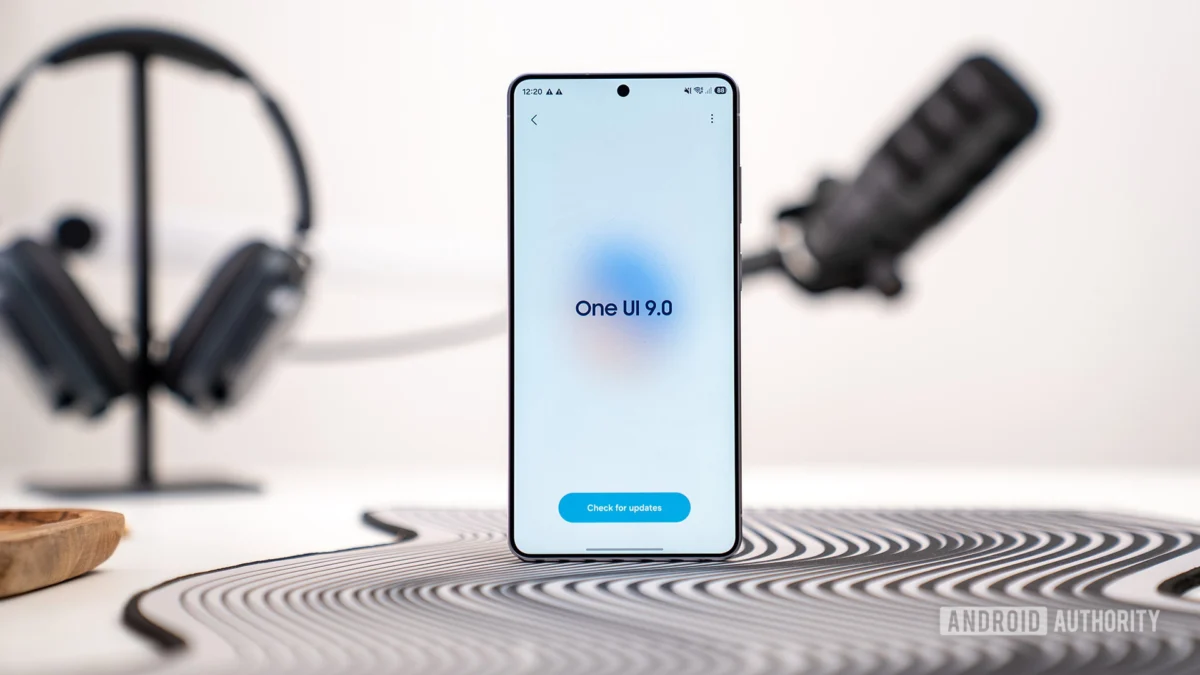
Recent discoveries within the One UI 9 beta, specifically tucked away in the experimental "Connectivity Labs" section, reveal a potent new feature titled "Network management for concentration." Unlike traditional app timers that simply lock a user out of an interface, this new tool operates at the network level, effectively severing the data lifeline to distracting applications.
Main Facts: Cutting the Cord on Distractions
The core of Samsung’s new initiative lies in its departure from surface-level UI blocking. According to code strings and early beta screenshots, "Network management for concentration" is designed to reduce distractions from videos, social media, and games by selectively restricting internet access.
Key Features of the Tool:
- Category-Based Filtering: The system organizes applications into predefined "restriction buckets," including Social Media, Games, Streaming, News, and Shopping.
- Network-Level Enforcement: Instead of a simple overlay that can often be bypassed or ignored, this feature appears to act as a local firewall, preventing the apps from fetching new data.
- Secure Access via PIN: To prevent impulsive overrides (or to facilitate parental control), the feature is protected by a mandatory six-digit PIN.
- Scheduled Downtime: Users can automate their focus periods by setting specific start and end times, allowing the phone to enter a "restricted state" during work or study hours.
- Deep Integration: The feature is housed within "Connectivity Labs," a hidden menu accessible via the Intelligent Wi-Fi settings, suggesting it utilizes Samsung’s proprietary network stack.
Chronology: From Code Strings to Beta Reality
The emergence of this feature followed a swift trajectory of discovery, moving from speculative code analysis to confirmed visual evidence within the span of 24 hours.
May 13, 2026: The Initial Discovery
Technical analysts first identified a series of new strings within the One UI 9 firmware codebase. These strings pointed toward a "restriction_intro_title" and "restriction_manage_pin." The language used in the code—specifically mentioning "improving concentration on work and study"—immediately signaled a shift in Samsung’s productivity philosophy. At this stage, the feature was theoretical, hidden behind the "Connectivity Labs" gateway which requires users to repeatedly tap the "Intelligent Wi-Fi" version number to unlock.
May 14, 2026: Beta Confirmation
Less than a day after the initial report, users enrolled in the official One UI 9 beta for the Galaxy S26 Ultra began providing visual confirmation. A contributor identified as Dylan H. provided screenshots showing the "Network management for concentration" interface in action. The screenshots confirmed the existence of the category-based toggles and the robust PIN management system, transitioning the feature from a "leak" to a "functional beta component."
Supporting Data: The Mechanics of Network Restriction
The sophistication of this feature is best understood through the specific data structures and categories Samsung has implemented. By targeting the network layer, Samsung addresses a common flaw in digital wellbeing apps: the ability for a user to simply "add one more minute" or bypass the lock screen with minimal effort.
The Five Pillars of Restriction
The beta software lists five primary categories that users can choose to throttle:
- Social Media: Targeting high-engagement platforms like Instagram, TikTok, and X (formerly Twitter).
- Games: Blocking data for online multiplayer and ad-supported mobile titles.
- Streaming: Restricting high-bandwidth apps like YouTube, Netflix, and Twitch.
- News: Preventing the "doom-scrolling" habit associated with news aggregators.
- Shopping: Disabling access to e-commerce platforms like Amazon or eBay.
Security and Parental Oversight
The inclusion of a six-digit PIN system is a critical data point. The code reveals a comprehensive management suite for this PIN:
sec_wifi_labs_restriction_pin_setup_title: For initial configuration.sec_wifi_labs_restriction_delete_pin_and_reset: A fail-safe that wipes configurations if the PIN is removed.sec_wifi_labs_restriction_pin_check_description: A prompt that appears whenever a user attempts to modify restrictions.
This suggests a dual-use case. While primarily marketed for individual productivity, the architecture is perfectly suited for parental controls, allowing a guardian to lock a child’s phone into a "study mode" where only educational resources remain online.
Official Responses and Current Status
As of mid-May 2026, Samsung has not issued a formal press release regarding "Network management for concentration." This is standard operating procedure for the company, which often tests experimental features in its "Labs" or "Connectivity Labs" sections before deciding whether to move them to the primary Settings menu.
The feature currently resides in the One UI 9 Beta, specifically tested on the Galaxy S26 Ultra hardware. Industry insiders suggest that if the feedback from the beta community is positive, the feature could be highlighted as a "Galaxy AI" productivity enhancement during the official stable rollout of One UI 9. However, there remains a possibility that the feature could be refined further or even shelved if it creates unforeseen conflicts with background system processes or emergency notifications.
Implications: A New Era of Digital Discipline
The introduction of network-level concentration tools carries significant implications for the future of the smartphone industry and user behavior.
1. The Technical Shift in Digital Wellbeing
Most current focus modes are "soft" locks. They rely on the operating system’s UI layer to prevent an app from opening. Samsung’s move to the network layer is a "hard" lock. By preventing data from reaching the app, the app becomes functionally useless even if the user finds a way to open it. This reflects a growing demand for "friction" in technology—intentionally making it harder to engage in bad habits.
2. Positioning the Galaxy S26 as a Professional Tool
With the Galaxy S26 Ultra likely serving as the flagship for One UI 9, Samsung is positioning its devices not just as entertainment hubs, but as serious productivity workstations. By integrating these tools directly into the Wi-Fi and connectivity stack, Samsung is leveraging its vertical integration (controlling both the hardware and the software overlay) to offer features that third-party apps from the Play Store cannot replicate due to Android’s security sandboxing.
3. Privacy and Local Control
By managing these restrictions locally through Connectivity Labs rather than through a cloud-based service, Samsung ensures that the user’s traffic data isn’t necessarily being sent to a third-party "blocker" service. This local firewall approach is better for privacy-conscious users who want to manage their screen time without sharing their app usage habits with external developers.
4. Potential for "Deep Work" Ecosystems
The "Downtime" scheduling feature hints at a future where Samsung devices could sync with "Smart Things" environments. Imagine a scenario where activating "Network Management for Concentration" on a Galaxy S26 also triggers a "Focus Mode" on a Samsung Odyssey monitor and dims the lights in a home office.
Conclusion
Samsung’s "Network management for concentration" represents a bold step toward a more disciplined mobile experience. By moving the battle for focus from the screen to the network, One UI 9 may provide the most effective tool yet for users looking to escape the cycle of digital distraction. While still in its experimental stages within the Connectivity Labs, the feature’s robust design—complete with PIN protection and category-based filtering—suggests that Samsung is ready to lead the next wave of the digital wellbeing movement. Whether this will become a staple of the Galaxy experience or remain a hidden gem for power users will depend on the results of the ongoing One UI 9 beta.
Author

Related Posts

Beyond the Burpee: The High-Efficiency Kettlebell Ladder Workout for Total-Body Power
- 0
- 1,219 word
We often associate a "beastly" kettlebell workout with a specific set of high-intensity movements: the rhythmic snap of the swing, the technical...
Read out all
JBL Redefines Portable Power: An In-Depth Analysis of the Xtreme 5 Bluetooth Speaker
- 0
- 1,295 word
The landscape of portable audio has shifted dramatically over the last decade, moving from tinny, fragile boxes to sophisticated acoustic powerhouses capable...
Read out all
Apple Bolsters Safari Security: Comprehensive Patch for Safari 26.5 Addresses Critical WebKit and WebRTC Vulnerabilities
- 0
- 1,347 word
In an era where the web browser serves as the primary gateway to both personal and professional digital lives, the security of...
The Evolution of Portable Power: Why Compact Fast-Charging is Defining the Spring Travel Season
- 0
- 1,290 word
The arrival of the spring travel season has historically triggered a surge in the consumer electronics market, specifically within the mobile accessory...
Read out all
The Hidden Architecture of Minimalism: Unlocking the Secret Potential of the Amazon Fire TV Remote
- 0
- 1,391 word
In the contemporary landscape of consumer electronics, a paradoxical design philosophy has taken hold: as devices become more capable, their physical interfaces...
Read out all
Unveiling Prime Deals: A Comprehensive Look at Amazon’s Latest Savings and Limited-Time Offers
- 0
- 2,573 words
Amazon, the e-commerce titan, continues to roll out compelling deals across a wide spectrum of products, offering consumers significant savings on everything...
Read out all